INDUSTRY AND PRODUCTION

Your plant maintenance, under control.

Centralize your assets and organize the maintenance of your industrial operation: which equipment it is, where it sits, what it needs and what was done to it.

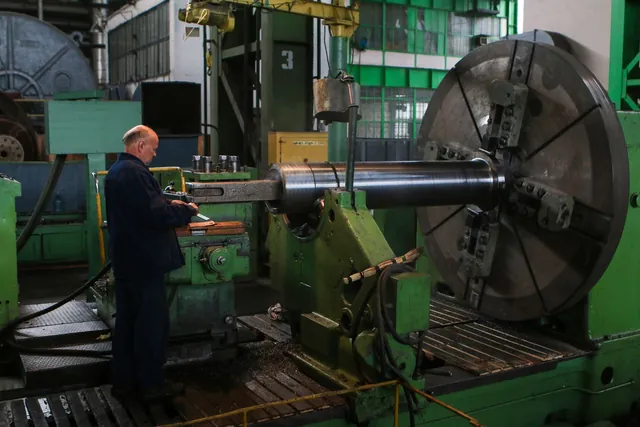
Industrial machine on a production plant floor.

What holds maintenance back on the floor.

The same three problems show up in almost every industrial operation still organized with spreadsheets.

  • Equipment without one record

    Every machine lives in a different spreadsheet, with its own code and its own history.

  • Preventive work that arrives late

    Without an explicit schedule, the routine starts after the breakdown.

  • Work without traceability

    You know someone serviced the equipment, but not when, who or with which parts.

HOW THE PANEL IS ORGANIZED

Plant, area, equipment.

When you choose the industrial activity, the panel proposes the production hierarchy: the plant groups areas, and each area holds its machines and equipment. Panel terminology uses plant and equipment instead of the generic terms.

The structure is confirmed with your team during onboarding and can be adjusted afterwards.

  1. Company
  2. Plant
  3. Area or section
  4. Machine or equipment
THE FLOW IN THE PANEL

From configuration to the indicator.

Six steps that repeat for every piece of equipment in your operation.

  1. You set up the company

    In the initial configuration you choose Industrial maintenance and define the maintenance mode.

  2. You create plants and areas

    You load the structure of your plant once and reuse it for every piece of equipment.

  3. You register equipment

    Each machine is loaded as an asset, with its type, technical specification and manuals.

  4. You schedule preventive work

    You define the routine by date or criticality and the system generates the order before the failure.

  5. You manage work orders

    You assign a technician, log parts and times, and close with signature and photo record.

  6. You check history and indicators

    Every intervention stays attached to the equipment and feeds the indicators of your operation.

WHAT THE PANEL INCLUDES

A structure for your plant, not a flat list.

Leonix organizes the operation in the order it happens: plant, area, equipment, intervention.

  • Hierarchical assets

    Structure plants, areas and equipment as asset trees with technical specifications and manuals attached.

  • Equipment types

    Define your own types — motor, pump, compressor, panel — and which form belongs to each one.

  • Preventive plans

    Schedule routines by date or asset criticality, with the preventive order generated before the breakdown.

  • Work orders

    Log requests, assign responsible technicians and track status, labor times and parts used.

  • QR access and history

    The technician scans the equipment QR on the plant floor, completes the form and the whole intervention stays in the history with signature and photos.

FUNCTIONAL TRANSPARENCY

What can you do today with Leonix?

We prefer you know it before you start. This is what the panel offers today for an industrial operation.

Available today

Features active from day one in any account.

  • Hierarchical assets with specification and manuals
  • Equipment types and form templates
  • Preventive plans by date or criticality
  • Work orders with technicians, times and parts
  • QR access from the phone
  • Per-equipment history with signature and photo evidence
  • Asset import from file

Available with configuration

It works, but it requires defining the structure with your team.

  • Internal locations inside each area
  • Roles and permissions per user
  • Form templates matching your own procedure

Specialized, not available yet

You will not find it active in the platform and we do not sell it as if it were.

  • Real-time production or line control
  • Integration with PLC, SCADA or plant sensors
EXAMPLE OF USE

A packaging line with three critical pumps.

An illustrative case of what daily work looks like, not a real customer.

A plant loads its structure once: main plant, packaging area and the three pumps that feed the line, each with its type and its manual. It schedules the seal change every 4,000 hours and the monthly visual inspection.

When a pump stops, the technician scans its QR, sees what was done last time and completes the form on the phone. The equipment history and the plant indicator stay up to date without a spreadsheet in between.

INDUSTRY AND PRODUCTION

Questions about industrial maintenance.

What customers in this sector ask us most about Leonix.

Does Leonix work for a plant with several sites?

Yes. The asset structure supports plants, sites and areas, each with its own equipment and its own history.

Can I load the equipment I already track in a spreadsheet?

Yes. Assets can be imported from a file with your current data, and then kept up to date in the panel.

Is preventive work planned per equipment or per area?

Per equipment. Each asset has its own schedule by date or criticality, and orders are generated from there.

Does it connect to my plant control system?

Today it does not. Leonix manages maintenance and its history; integration with industrial control systems is not available.

The same platform solves very different operations.

START TODAY

Start managing your operation with Leonix.

Try the platform for 30 days and organize your plant maintenance with real data.

Logout

Are you sure you want to logout?

Logged Out

You have successfully logged out.